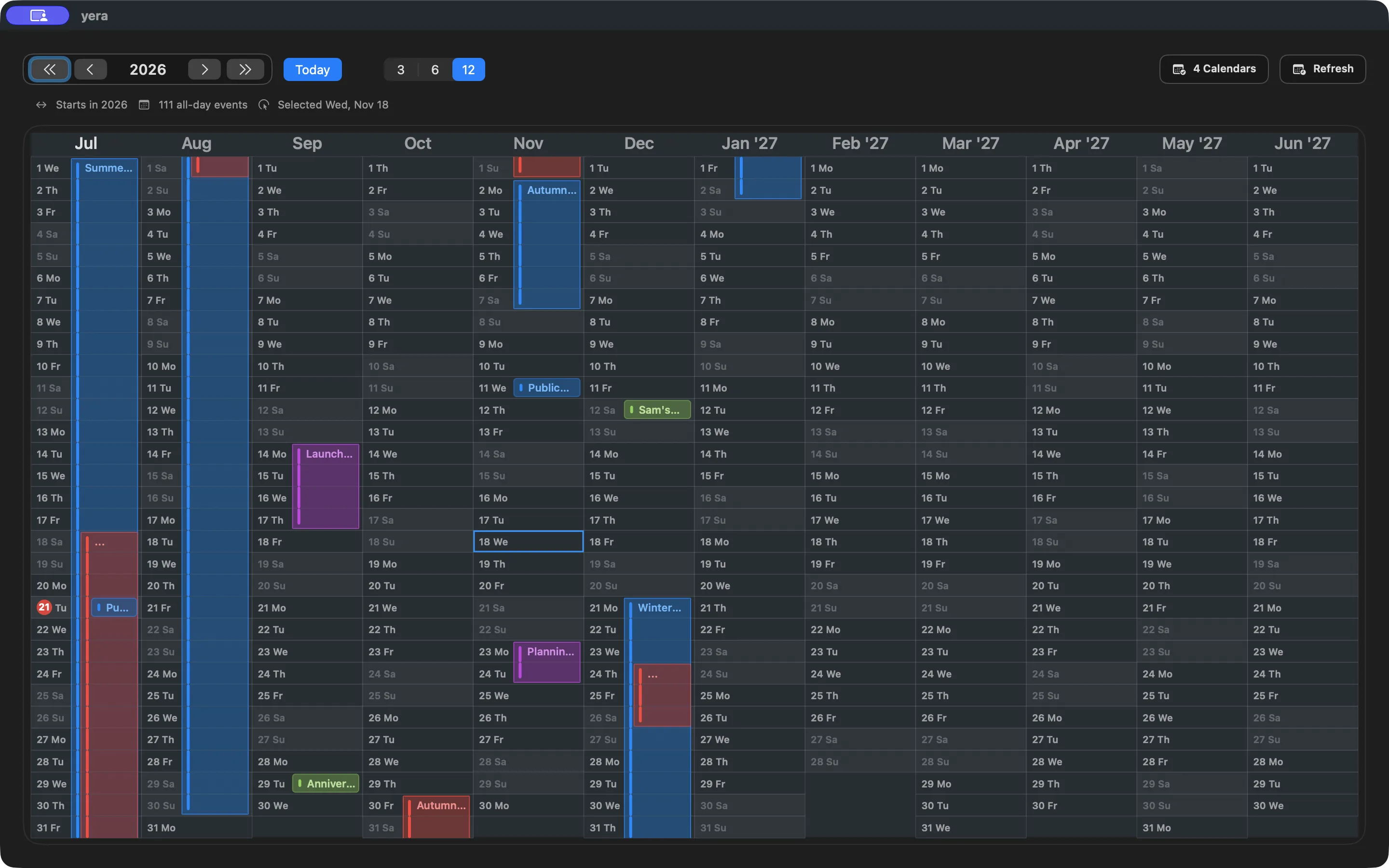
See 12 months at once
Understand holidays, school breaks, launches, and deadlines without jumping month to month.
Yera
Most calendar apps are built for appointments. Yera is built for long-range planning: holidays, school breaks, travel, launches, and full-day events that disappear when you are forced to think one month at a time.
Understand holidays, school breaks, launches, and deadlines without jumping month to month.
Yera is for plans that break month-by-month calendars: trips, school terms, launches, and long stretches of blocked time.
Use your existing Mac calendars instead of rebuilding your year inside yet another planning tool.
See the structure of the year immediately instead of reconstructing it from separate monthly grids.
Focus on half a year while keeping holidays, milestones, and long plans visible together.
Zoom in when you want spacious event titles and a clearer day-by-day planning surface.
Meetings and appointments stay out of the way as small count pills. Hover over a pill to see each event's time and calendar.
Drag across a date range to create an all-day event, then move it, change its duration, or delete it. Changes go straight to Apple Calendar.
Availability
Yera is a free Mac App Store download with a one-time Premium unlock. Premium is a one-time in-app purchase, available in every App Store country. The App Store shows the price in your local currency.
Purchases are handled by Apple. If you change your mind, request a refund at reportaproblem.apple.com. Refund eligibility and any applicable consumer-law period depend on your country or region.
Requires macOS 14 Sonoma or later.
Built by Aenagi Studio
Aenagi Studio is the maker behind Yera. The product comes first. The studio exists to build calm, opinionated software around planning and time.